Knowledge layer

Maps

A map of your brand's Wiki, one for each brand in your organization. Explore the whole brand, or narrow to one campaign and follow how one claim informed the next.
Request a demo or get in touch

Start Free Trial
Maps feature graphic: a folder holding a set of connected points

See what your brand knows.
And how it all connects.

Your brand, one canvas.

What your brand's Wiki holds across all of its campaigns, in a single view.

Maps for the Northwind Coffee sample brand across the whole brand: the brand and one of its campaigns, and audiences, channels, competitors and places around them, each with a cloud of small nodes for its claims
  • Entities

    Each large node is an entity, something the Wiki keeps a page on: an audience, a channel, a competitor, a place.

  • Claims

    The small nodes surrounding an entity are its claims: single statements, each with its source.

  • Links

    Links join related entities, claims to the entities they mention and in a campaign, claims to each other.

One campaign, connected.

Narrow to one campaign and see what shaped its plan: which claims informed which, from the brief through to the media plan.
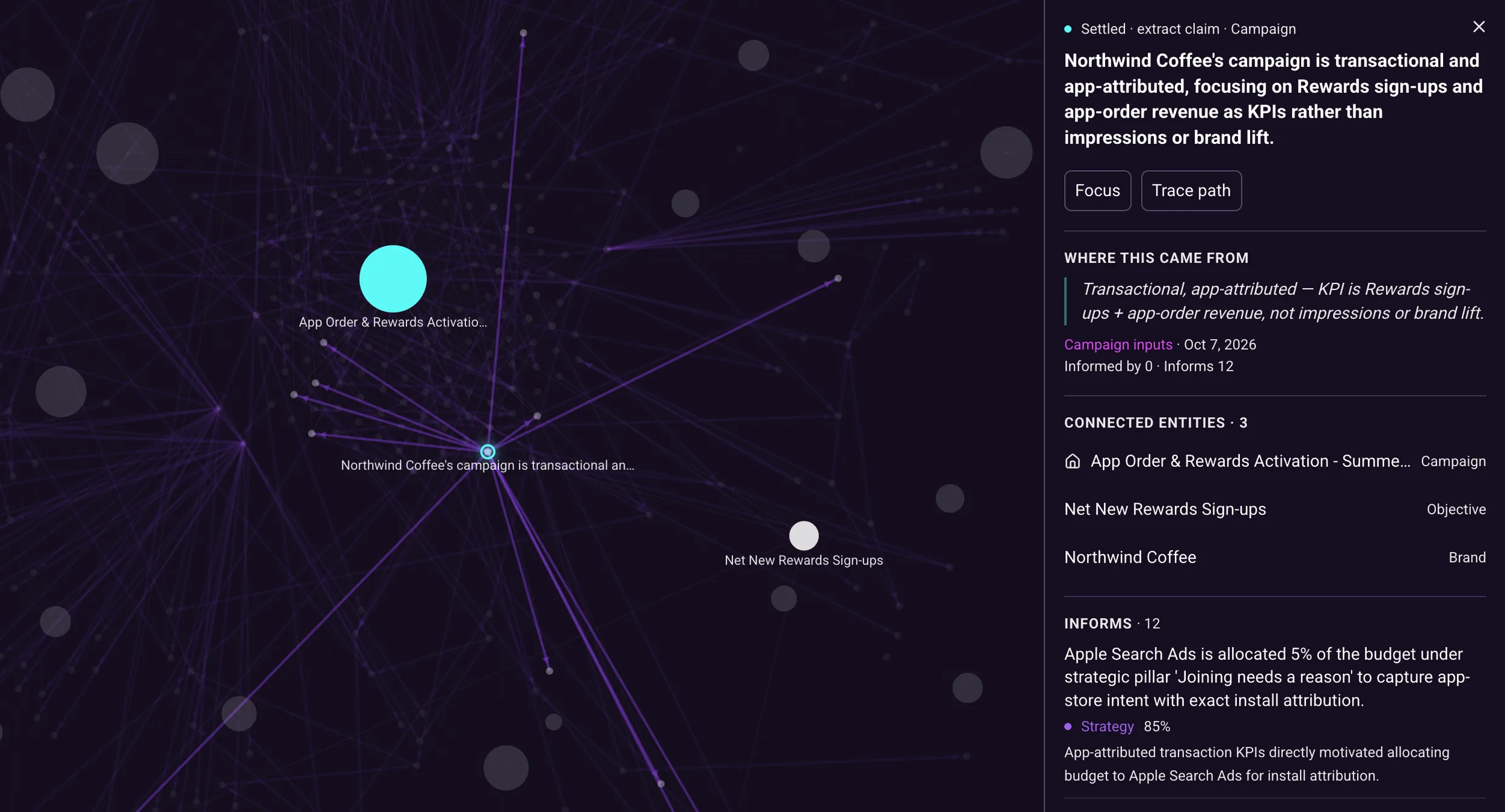
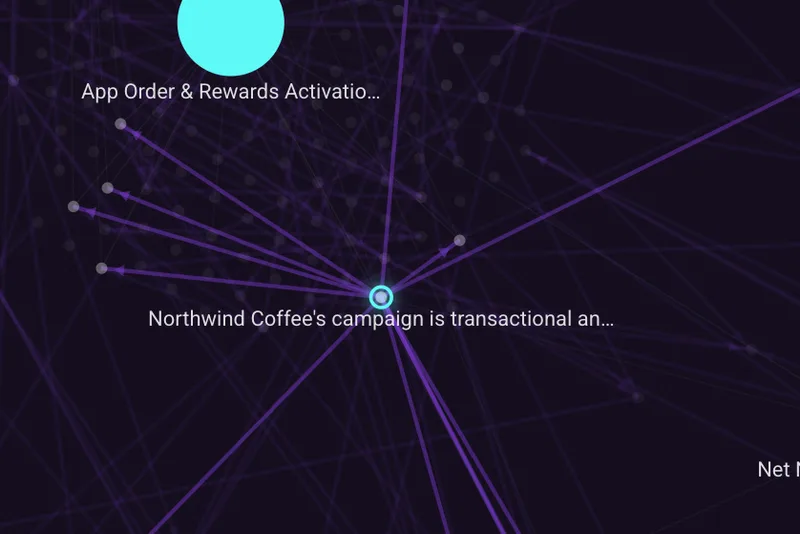
One Northwind Coffee campaign on the map with a claim from its brief selected: purple lines run from it to the claims it informed, and its card shows the original quote, its source and date, and the Strategy claims it informs, each with a score and a one-sentence reason
  • The selected claim on the map, with lines running out to other claims

    The claim

    This claim comes from the brief and sets the campaign's goals. Its links lead to the claims it informed.
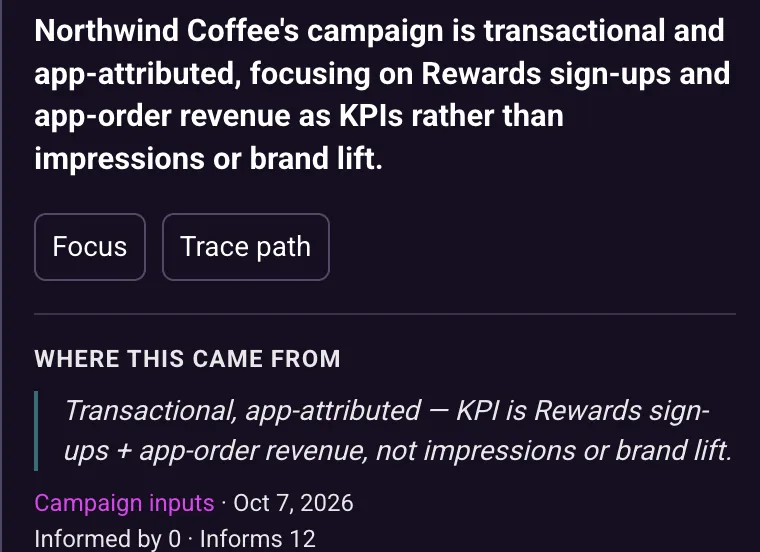
  • The top of the claim's card: its statement, the original quote, its source and date

    Its source

    Its card shows where the claim came from and when, with the original quote if there is one.
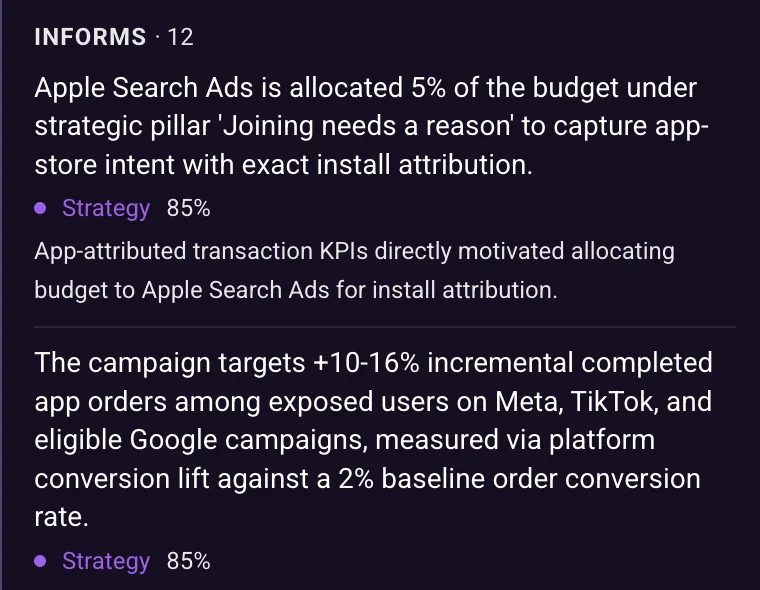
  • The card's Informs list: Strategy claims, each with a score and a sentence explaining the connection

    What it informed

    Below that, the card lists the claims it informed, each with a score and a line explaining the link.

Two modes

Trace Path on a Research claim with the map showing claims only: its path of five claims lit across the dimmed map, and a panel below grouping them under Brand profile, Research, Strategy and Media plan

Follow claims from brief to plan.

Trace Path shows how far one claim's influence reaches.

  • Upstream and downstream. It shows what informed the claim and what the claim went on to inform.
  • Grouped by source. The path shows where each of its claims came from.
Focus at two steps around one audience: a banner with step buttons 1, 2 and 3, the audience ringed by its claims with only its neighborhood left on the map, and its card

Select one node. Work outward.

Focus keeps one node and what is linked to it, and hides the rest.

  • One, two or three steps. Widen the view from the node a hop at a time.
  • From any node. It works from an entity or from a single claim.

Find your way around.

Three ways to read what is on the map: what links to what, how, and where each claim came from.
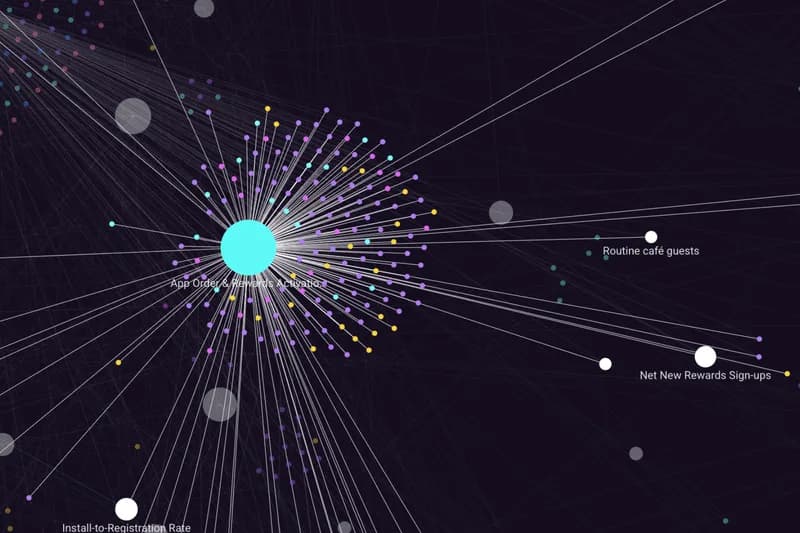
  • A campaign on the map with its links lit out to named entities and the rest of the map dimmed

    See what links to what

    Rest the pointer on an entity and its links light up while the rest of the map dims.
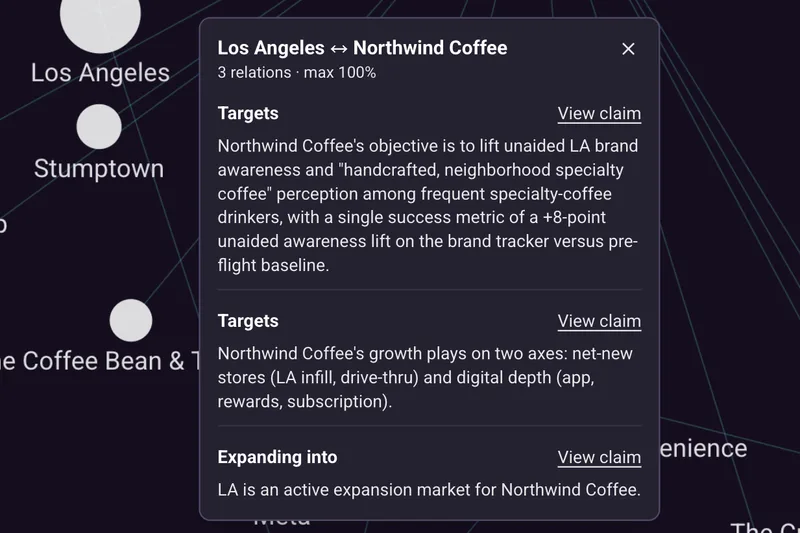
  • A card opened from a link between Northwind Coffee and Los Angeles: three relationships, Targets, Targets and Expanding into, each with the claim that supports it

    Read how they are linked

    Select a link between two entities or two claims to read what connects them.
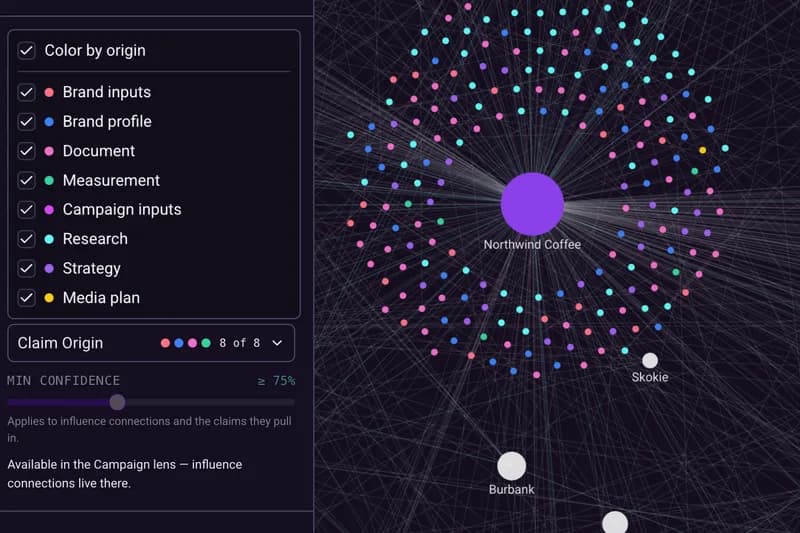
  • The Claim Origin filter open with Color by origin ticked, listing each source with its color, beside a cloud of claims colored the same way

    See where claims came from

    Turn on Color by origin and each claim is colored by its source.

One Wiki. Three ways to explore.

Read its pages. See it drawn in Maps. Ask it in Chat.
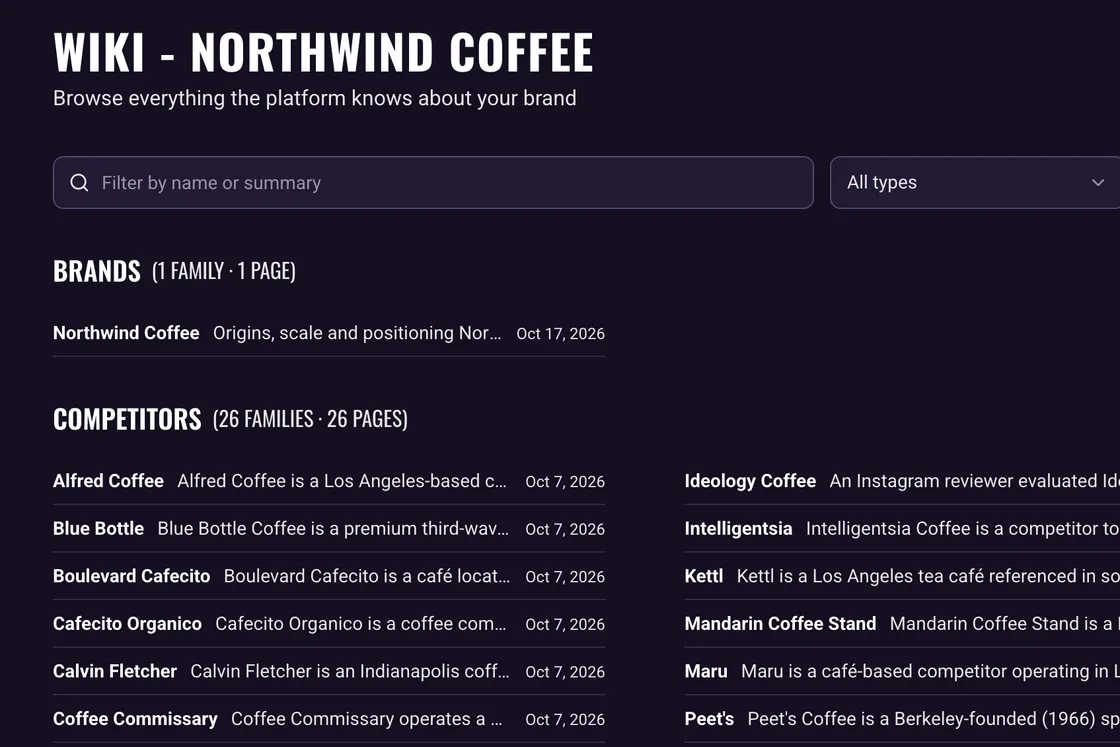
The Wiki directory for the Northwind Coffee sample brand: pages grouped by type, each with a summary

Wiki

A page for every entity, written from what your brand knows, with every claim cited to its source.

Explore the Wiki
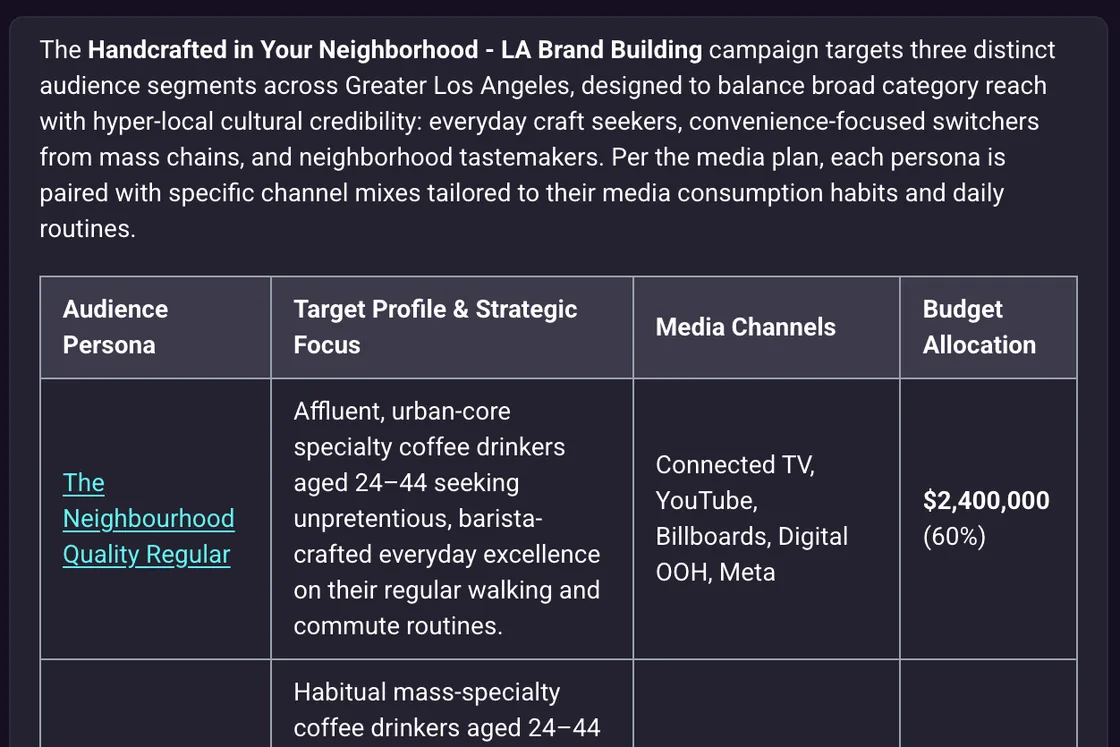
A Chat answer laid out as a table of the campaign's audiences, their profile, media channels and budget, each audience linked to its Wiki page

Chat

Ask anything about your brand and get an answer from the Wiki, citing the pages behind it. Scoped to the whole brand or one campaign.

Explore Chat

Frequently asked Questions

What does the map show?
Every entity your brand's Wiki keeps a page on, the claims attached to each, and the connections between them. A very large map shows its most connected claims and says so. Our Maps guide covers the detail.
Is it separate from the Wiki?
No. Maps draws the same Wiki. Any entity opens to its page, and any claim opens where it sits on its page. Claims are confirmed or rewritten there, not on the map.
What do the links mean?
A link joins a claim to the entity it belongs to, a claim to another entity it mentions, two related entities, or, inside a campaign, one claim to another it informed. Two entities sitting close together is layout, not a sign that they are related.
How does it know one claim informed another?
A model reads pairs of related claims and records a connection only where it judges that one informed the other, with a score and a one-sentence reason. The score is the model's estimate, not a measurement of impact or proof of cause.
Why are claim-to-claim links campaign-only?
Because that is where one claim informs another: a campaign runs from brief to research to strategy to media plan, each informed by the one before and by what is already known about your brand. One campaign's work never informs another's.
Does the map update by itself?
Anything new appears once the Wiki has compiled it. A map that is already open does not refresh by itself. Reload it to see the latest.
Can I share a view?
Yes. The page address carries the brand, the campaign and your filters, so a teammate with access to the brand opens the same view.

Want to learn more?
Let’s chat.

Request a demo or get in touch