Present

Pages and Slides

Turn a finished output into an interactive page or a slide deck, in minutes. A page keeps the full argument. A deck condenses it. Both carry the source's figures and citations, in your colors, fonts and logo.

Request a demo or get in touch

Start Free Trial
Present feature graphic: a folder holding a page and a slide, each with a headline and a small chart

Finished output in.
Page or deck out.

Pages

The whole output, composed into an interactive page.

  • One scrolling page: an opening hero, a section for each part of the source, and navigation that tracks where you are
  • Stat highlights and bar charts drawn from the source's own figures, and its diagrams carried over
  • Citation numbers carry through to a References section at the end
  • Choose the visual treatment: Data-forward for charts and stats, Narrative for prose, or Balanced
  • Choose the depth: Complete for the full treatment, or Digest for a tighter take on every section
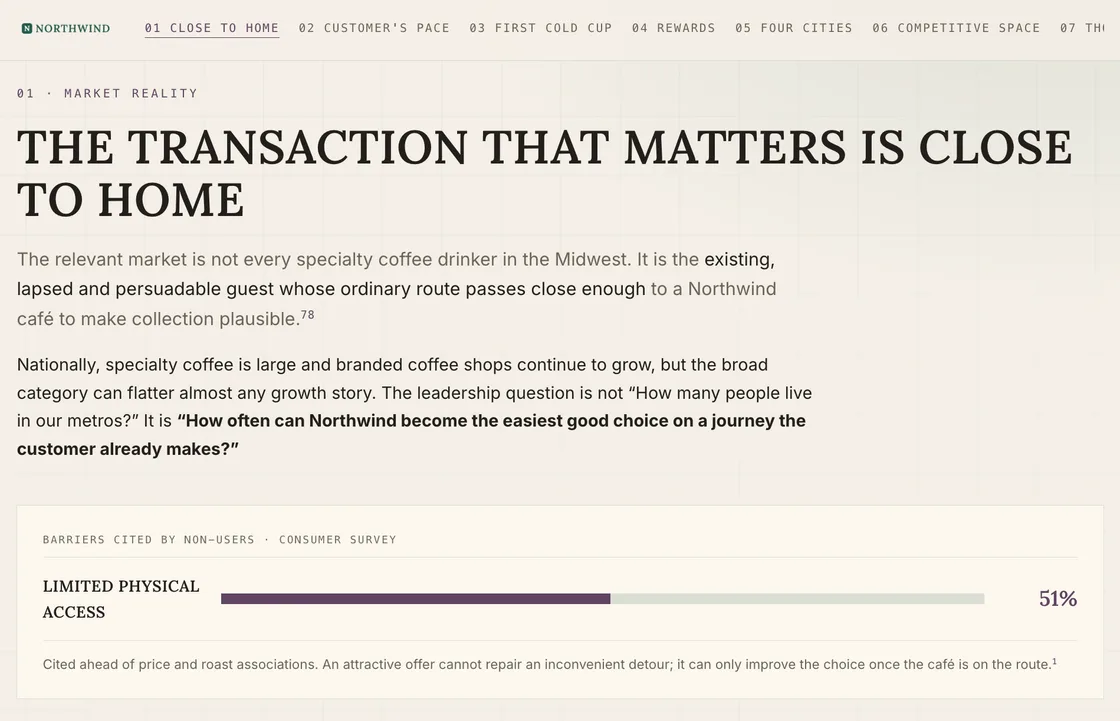
A page built from a research full report in the brand's own design kit: numbered section navigation with the first section active, the section headline The Transaction That Matters Is Close to Home, cited prose, and a bar showing 51% of non-users citing limited physical access

Slides

The same output, condensed into slides you step through.

  • Five templates: Bold Signal, Editorial, Executive, Data Spine and Neon Minimal
  • Choose the density: Presentation-first for spoken-to slides, Reading-first for slides that stand on their own, or Balanced
  • Choose the length, from around 8 slides to 25 or more, or let Skeleton Key decide
  • Charts and tables where the source has them, and speaker notes if you ask for them
  • A closing Sources slide, listing the references the output cites
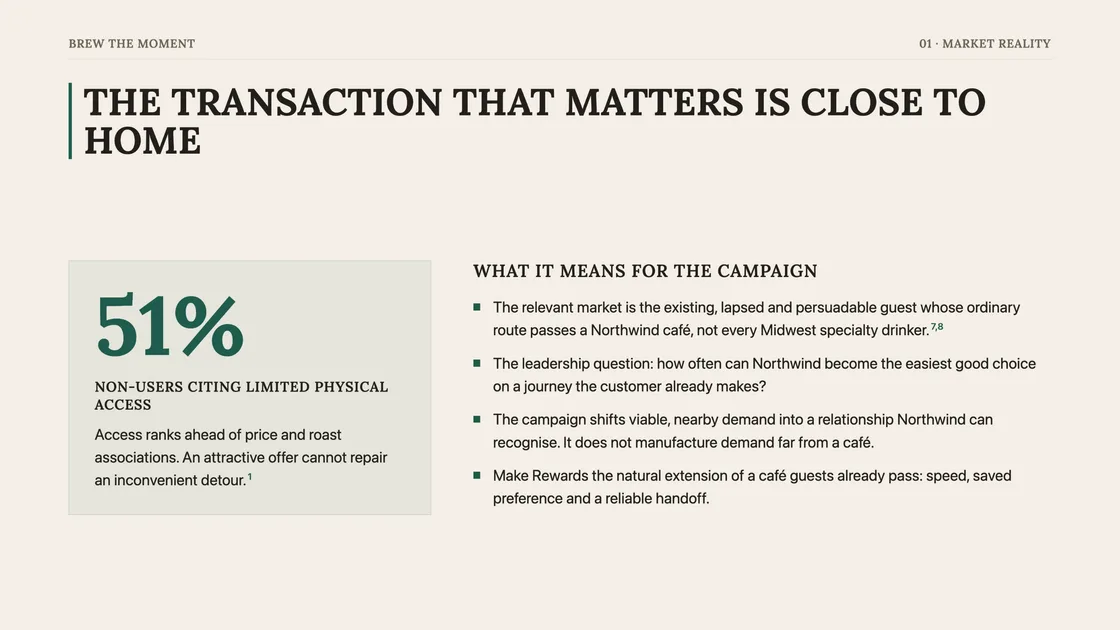
A slide from a deck built from the same research full report in the same design kit: the headline The Transaction That Matters Is Close to Home, a 51% stat card for non-users citing limited physical access, and four cited points on what it means for the campaign

What you can build from

Thirteen finished outputs, one per page or deck. Start from the output itself, or from the Pages or Slides library.
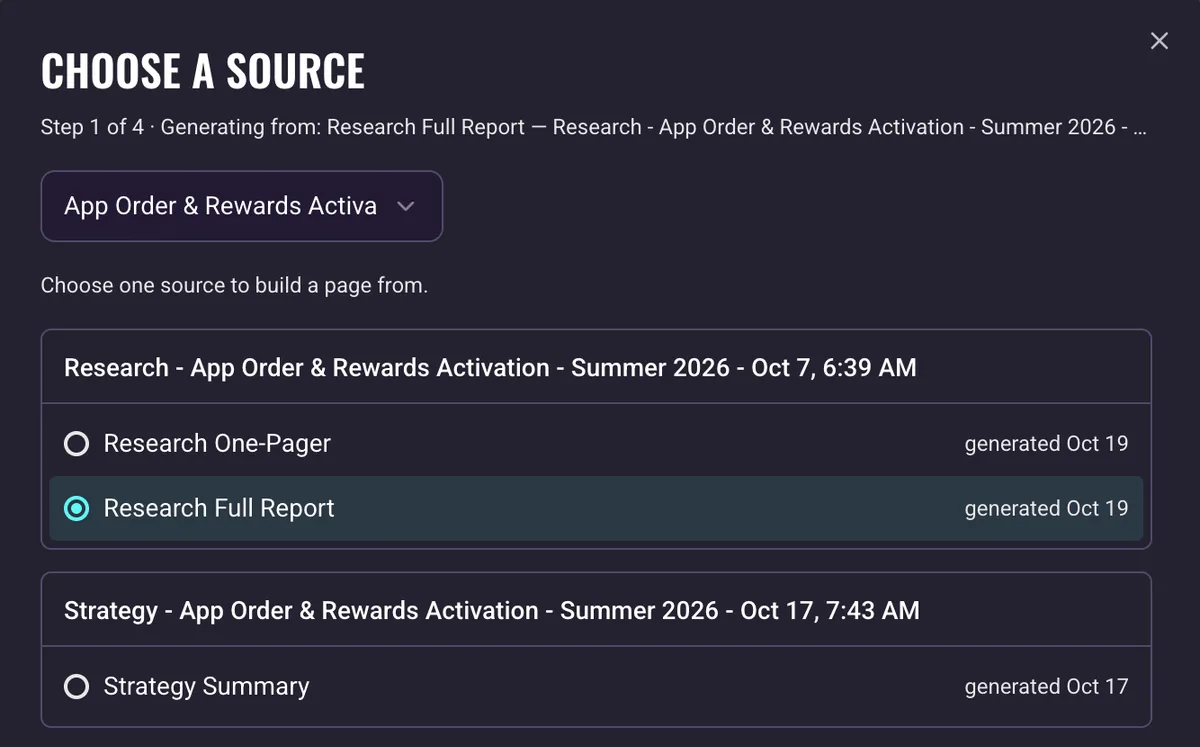
The page builder's Choose a source step filtered to one campaign: a research group listing the one-page summary and the full report, the full report selected, above a strategy group listing the strategy summary

Brand

One profile

Your brand's positioning, audience, voice and competitive context.

Research

Five analyses, two reports

Category, Competitor, Consumer, Culture and Social, plus the one-page summary and the full report.

Strategy

Four strategies, one summary

Goals, Audience, Communication and Media, plus the Strategy Summary.

Your design, not ours.

Every new page and deck in your organization's design, or in each brand's own: colors, fonts and logo.

  1. 1Set a design kit for the organization, plus one per brand that needs it.
  2. 2Start from your website, a PDF or a PowerPoint file, or fill it in yourself.
  3. 3Review the draft. It fills the editor, and nothing saves until you do.
  4. 4Each brand has a default design. Choose another for any page or deck.
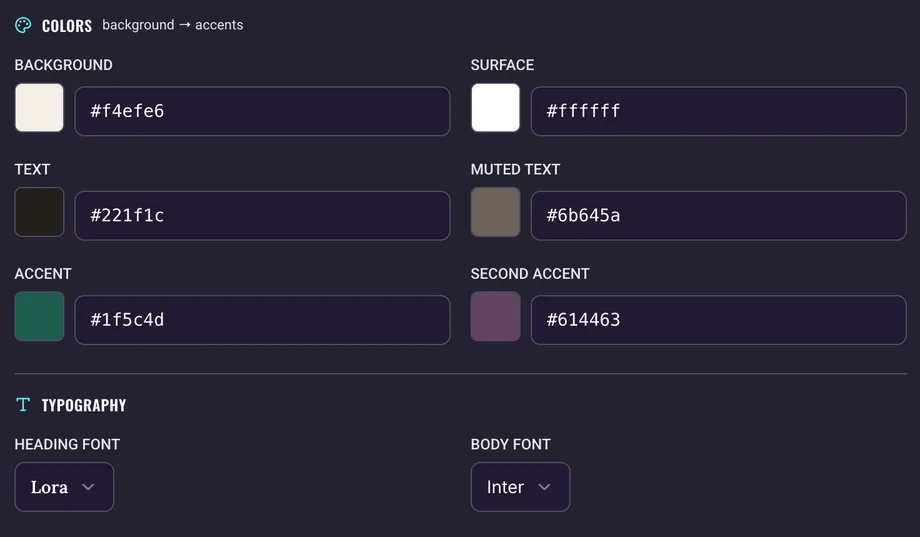
The design kit editor for a coffee brand: background, surface, text, muted text, accent and second accent colors with their hex values, and Lora and Inter as the heading and body fonts

Frequently asked Questions

Where do the figures come from?
From the source output. Every number is the source's own, every chart is drawn from those numbers, and the source's diagrams are carried over in place. Nothing is added that the source does not say.
How long does it take?
About 3 to 5 minutes. You can close the window, and a notification tells you when it is ready.
Can I export to PowerPoint?
No. A page or deck downloads as a single self-contained HTML file that opens in any browser, or prints to PDF from the viewer.
Can I edit a page or deck?
No. A page or deck is fixed when it is generated. Generate again with different choices and the new one joins your library beside the old one.
What happens when the source changes?
The page or deck stays as it was built. It is flagged "Source updated", and a Regenerate button reopens the builder with the new version of the source selected.
Can I build one from the Media Plan?
No. Pages and Slides build from written outputs: the Brand Profile, Research and Strategy. The Media Plan is a set of tables, and exports to Excel or Markdown.
Who can set up a design kit?
Organization Owners and Admins. Anyone building a page or deck can then choose among the styles available to the brand.
How do I share one?
Send the downloaded file or the PDF. Anyone with access to the brand can also open it in the app. There is no public link.

Want to learn more?
Let’s chat.

Request a demo or get in touch