
Knowledge layer
Chat
A conversation with your brand's Wiki, one for each brand in your organization. Ask it anything and get an answer that cites the pages behind it.
Everything your brand knows.
One question away.
On its own page.
Select whether the conversation includes your entire brand, or just one campaign.

Beside your work.
Open Chat next to your Brand Profile, Research, Strategy or Media Plan and ask about what you're reading.

Answers you can check.
A direct answer synthesized from what your brand has built in Skeleton Key, each claim linked to its Wiki page.
- No guessing. If it isn't there, Chat says so.
- No picking sides. When sources disagree, you see both versions and where each came from.

One Wiki. Three ways to explore.
Read its pages. See it drawn in Maps. Ask it in Chat.
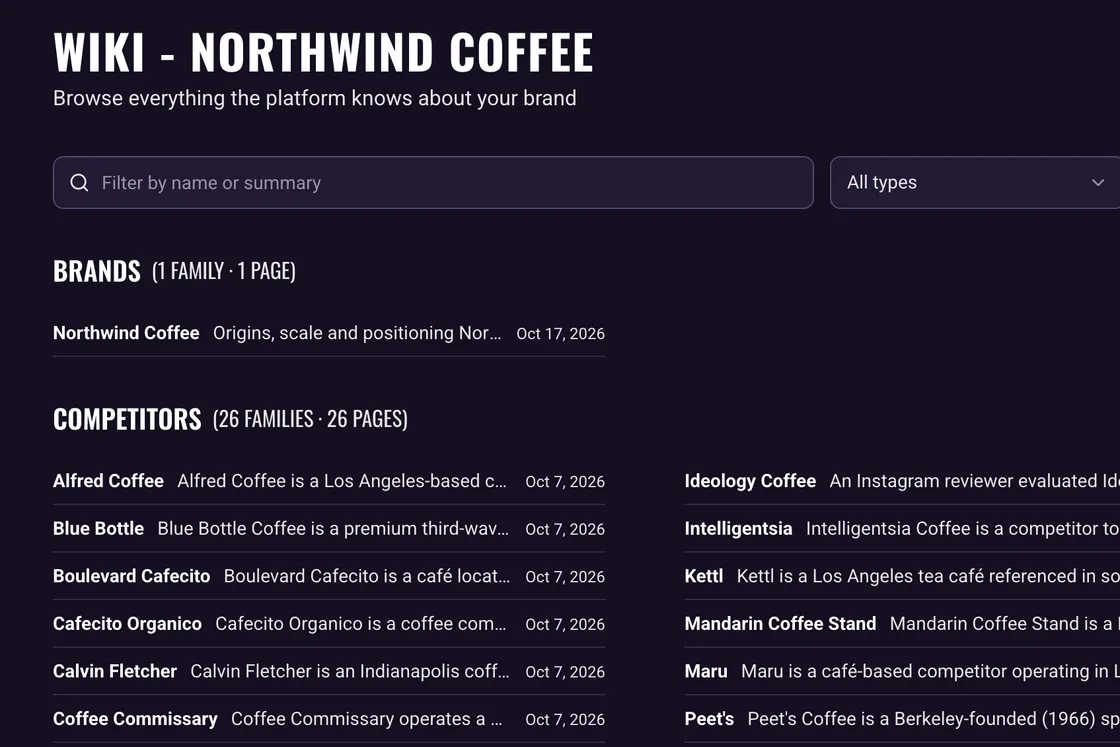
Wiki
A page for every entity, written from what your brand knows, with every claim cited to its source.
Explore the Wiki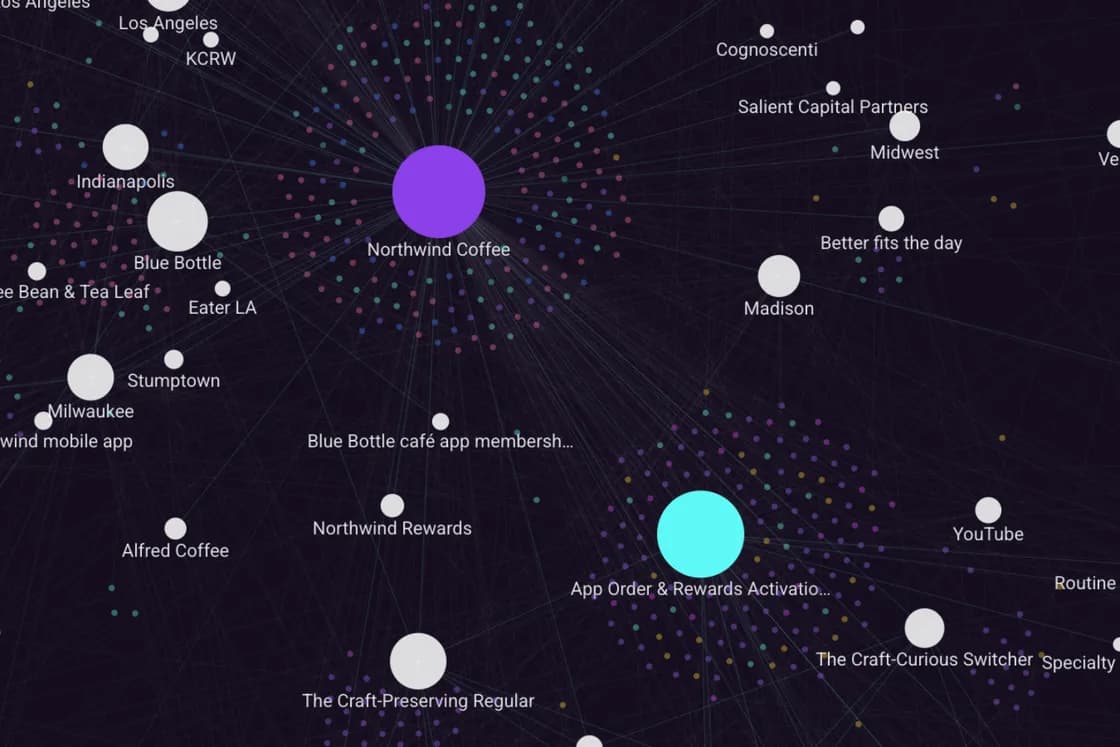
Maps
The Wiki drawn as one map: every entity, its claims and how they connect. In a campaign, trace how one claim informed the next.
Explore MapsFrequently asked Questions
What are Chat's answers based on?
Your brand's Wiki. For media plan figures, it reads the plan itself, as it stands when you ask. Our Chat guide covers the detail.
Does it search the web?
No. Every answer comes from what your brand has built in Skeleton Key, and if it isn't there, Chat says so.
Can I check where an answer came from?
Yes. Each citation links to the Wiki page behind it. Hover for a preview, or open the page in a new tab and read the evidence. Figures from the media plan are credited to the plan.
Which media plan does it read?
In a conversation scoped to a campaign, that campaign's current plan. Across the whole brand, Chat asks which plan you mean if two or more campaigns have one.
What if two sources disagree?
Chat shows both versions and where each came from, rather than picking one.
Can I pick a conversation back up?
Not yet. A conversation lasts until you leave the page, though one you start beside your work can be continued on the Chat page.
Can I limit it to one campaign?
Yes. Set the scope to one campaign and the conversation focuses on it. Changing the scope starts a new one.