

End-to-end chain
Run Research, Strategy, and Planning back-to-back from a single Start on the campaign details page.
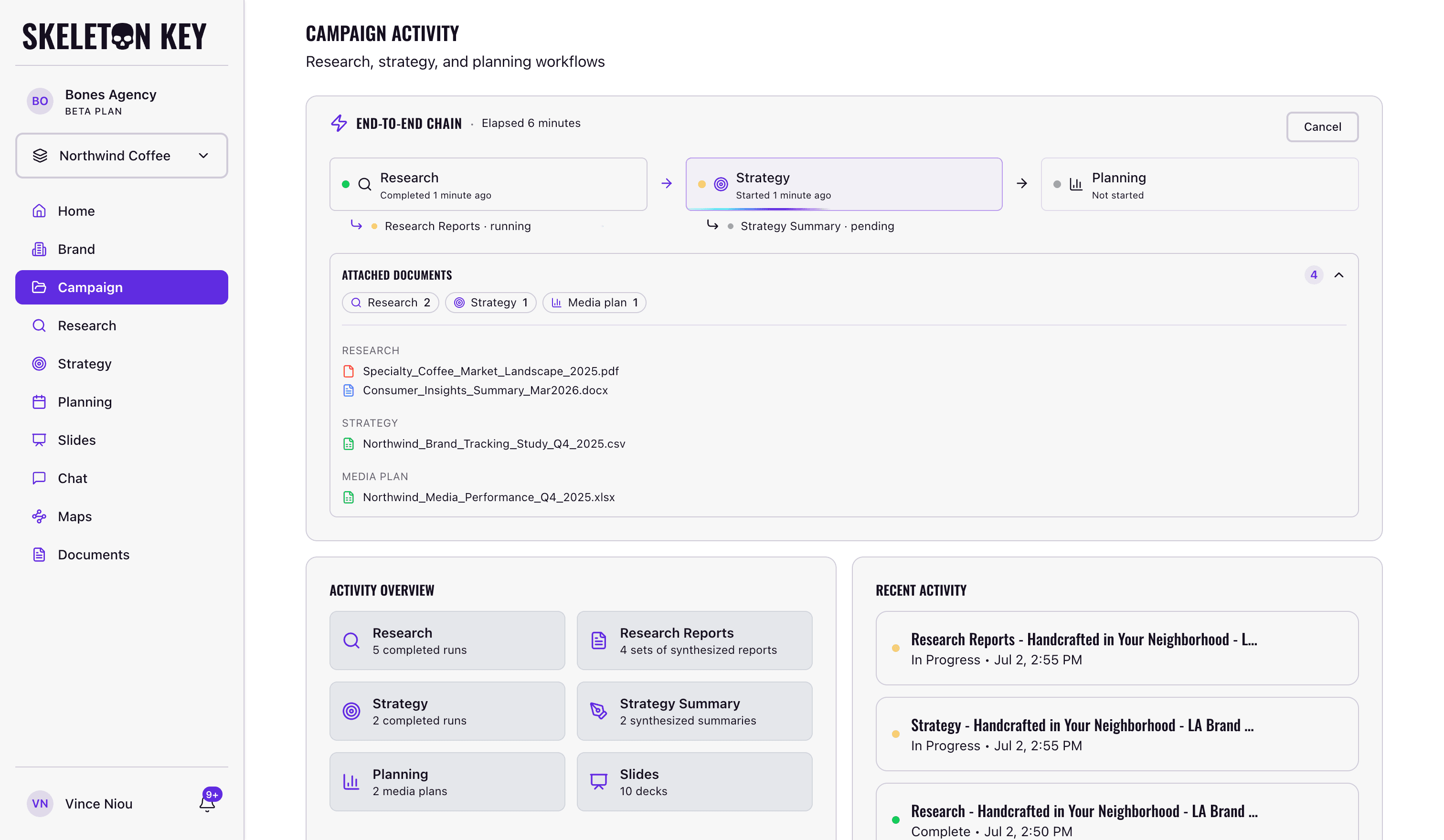
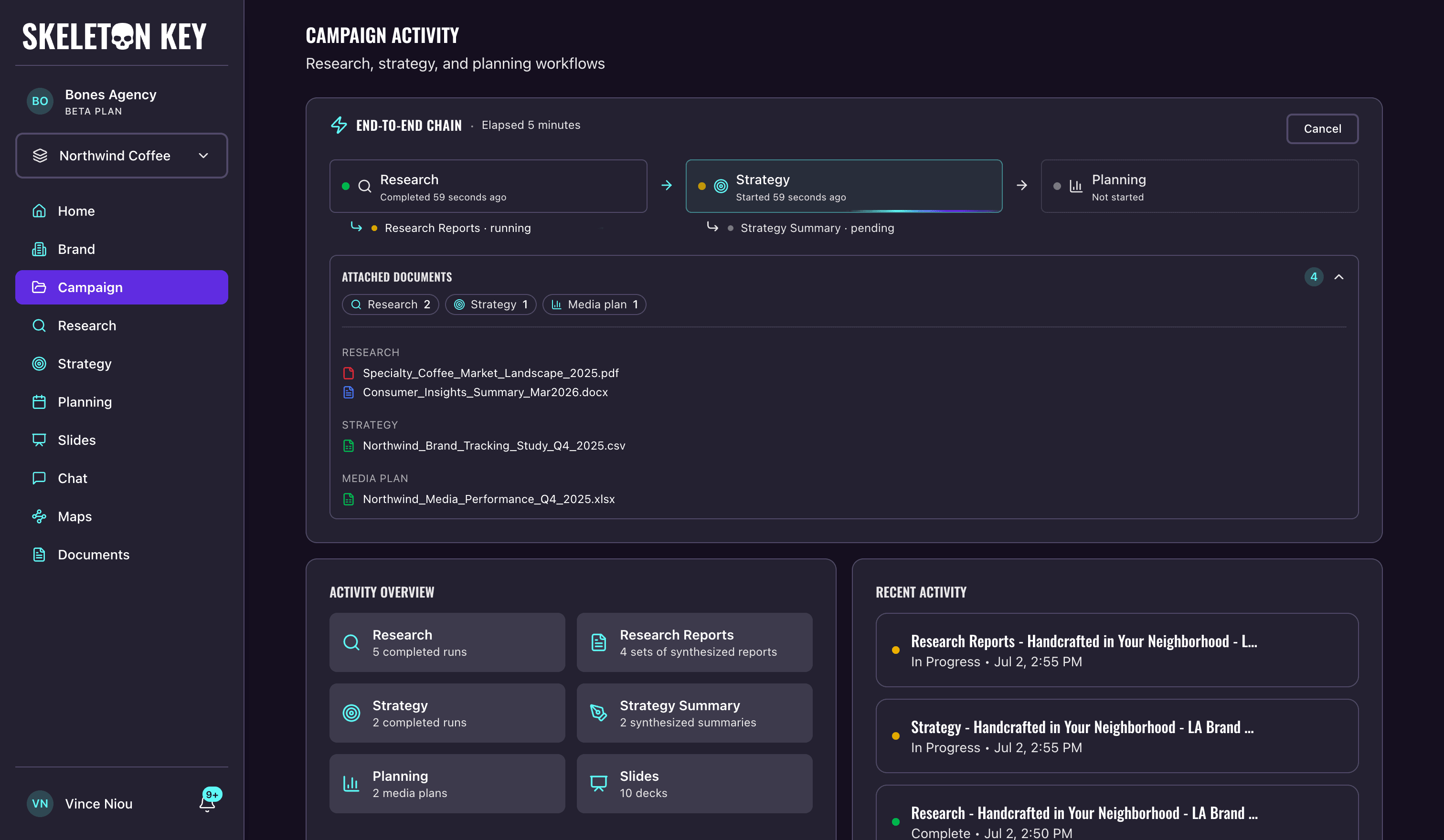
The end-to-end chain runs your campaign's Research, Strategy, and Planning phases back to back from a single Start button. It lives as a card at the top of every campaign details page, shows phase progress live, and lets you cancel, resume, restart, or dismiss the run.
What it does
A chain runs your campaign's Research, Strategy, and Planning back to back, with each phase's output becoming the input to the next. The chain card on the campaign details page is where you start, watch, and manage the run.
When you start a chain you can leave it simple or tailor it. Two optional toggles add the Research Reports and the Strategy Summary to the run; both default to off, and when on, the output generates alongside its phase rather than as a separate step you trigger later. You can also attach brand documents to any of the three phases, so each phase's agents read them as context exactly as they would on an individual run.
A chain normally runs straight through: when all three phases finish, the card collapses to a thin bar with a green status dot and a relative timestamp.
If a run is interrupted, it ends one of two other ways:
- Cancelled: you stopped the run mid-flight. Any output from finished phases stays intact, and Resume, Restart, and Dismiss are available.
- Failed: a phase errored. The card stays expanded with a red border, names the phase that halted, and shows Resume, Restart, and Dismiss.
After a Cancelled or Failed run, Dismiss collapses the card back to its idle state so you can start a fresh chain. The phase outputs themselves stay intact on their respective pages.
Where to find it
Open any campaign from the sidebar. The chain card sits at the top of the campaign details page, above Activity Overview and Recent Activity. If the campaign has never run a chain, the card is a thin idle bar reading "Run research, strategy, and planning automatically." with a New chain button on the right.
How it works
- 01
Open the run panel
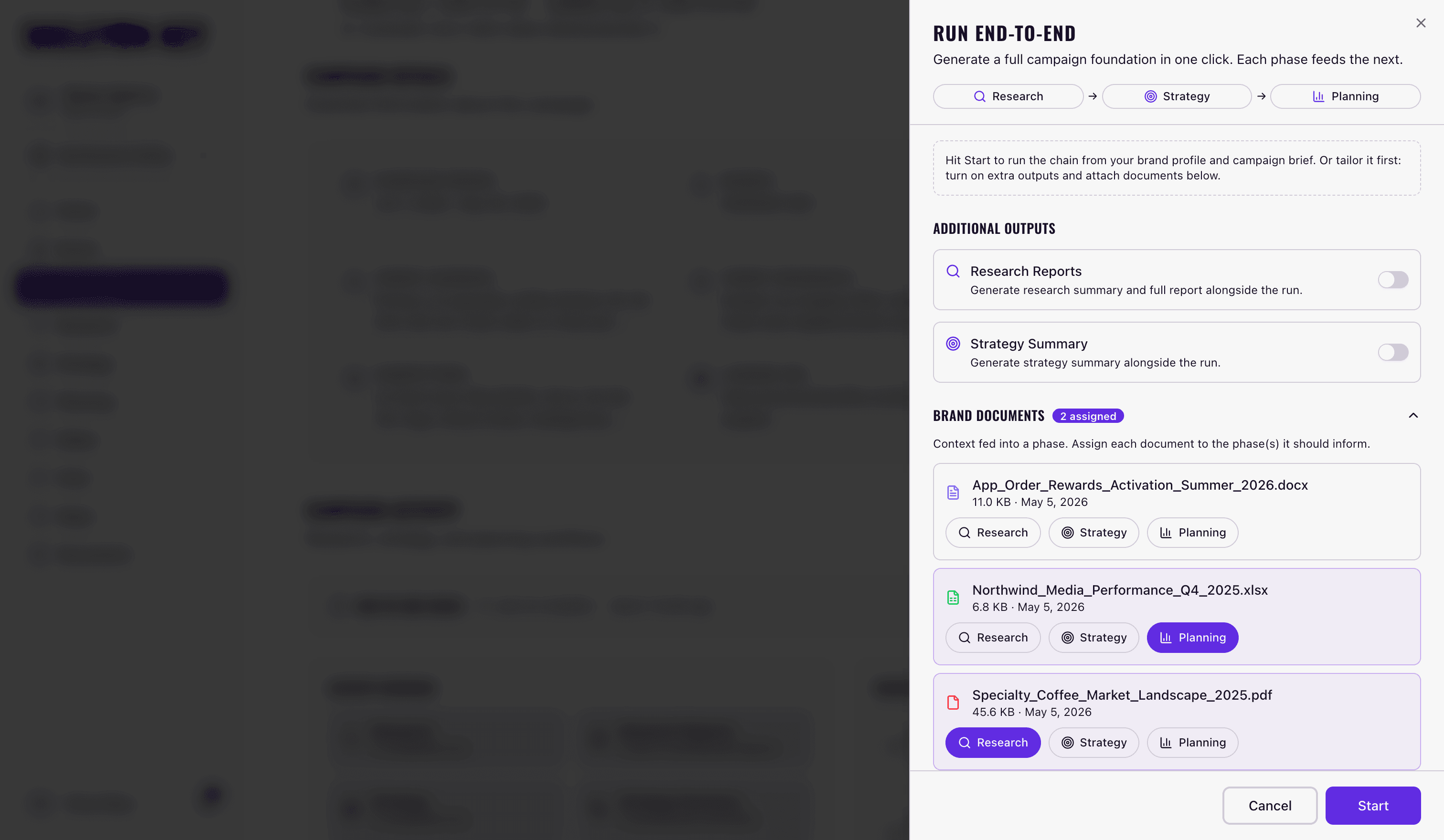
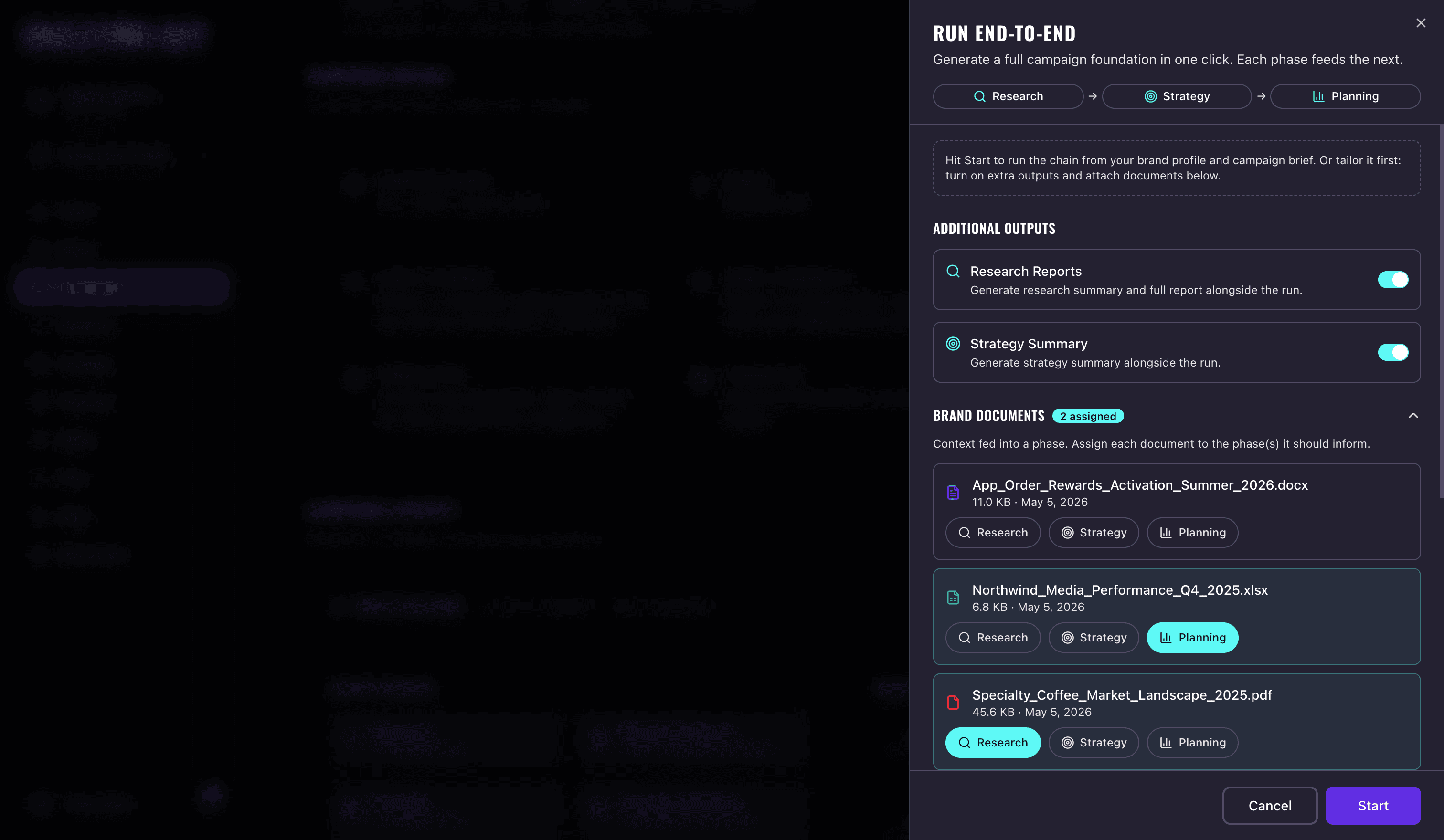
Click New chain on the chain card. The Run end-to-end panel opens from the right, showing the Research → Strategy → Planning flow with options to add extra outputs and attach documents below.
- 02
Tailor the run, or leave it simple
You can run from just your brand profile and campaign brief, or tailor the run first: turn on the Research Reports or Strategy Summary toggles, and open Brand documents to assign any uploaded document to the phase or phases it should inform.
- 03
Start the chain
Click Start. The card switches to its running state and shows Research, Strategy, and Planning as phase chips, with a cyan arrow pointing into whichever phase is currently active.
- 04
Watch progress
The card header shows elapsed time and refreshes every few seconds. Each phase chip moves from pending to running to complete as the chain advances. Click any chip to jump to that phase's page.
- 05
React to the outcome
On success, the card collapses to a thin bar with a green dot and "Last run complete." Click the bar to expand and review the phase chips. On failure or cancel, the card stays expanded with action buttons described in the next section.
What you can adjust
Output toggles. Both are off by default. Turning them on adds the Research Reports or Strategy Summary to the chain so they're ready when the chain completes.
Per-phase documents. Open Brand documents in the run panel and assign any file from your Documents page to Research, Strategy, or Planning; a single document can inform more than one phase. Each phase's agents treat its assigned documents as high-priority context, the same as attaching documents to an individual run.
Resume. Available on a failed or cancelled chain. Resume picks up at the halted phase and runs forward from there. Earlier phases' outputs are kept.
Restart. Available on a failed or cancelled chain. Restart runs the whole chain again from Research, pre-filled with the same output toggles and document assignments as the original run, which you can change before starting. The previous chain's outputs stay accessible on their respective phase pages.
Cancel. Available on a running chain. The currently running phase finishes its in-flight work, then the chain halts. Whatever was produced before the cancel remains intact.
Dismiss. Available on a failed or cancelled chain. Dismiss collapses the card back to its idle state so you can start a fresh chain. The phase outputs are not deleted.
View past chains. Once a chain completes and you expand the collapsed bar, a "View past chains" link appears at the bottom of the chip strip if the campaign has more than one chain in its history. Clicking it opens a side sheet listing prior chains with their status, start time, and a link to that chain's phase outputs. Each entry also shows which extra outputs the chain generated and how many documents were attached, with the filenames in a tooltip.
How it relates to individual phase runs
The chain is a wrapper around the regular phase runs, not a separate kind of run. Each phase the chain kicks off produces the same output as running that phase individually from its own page (Research, Strategy, or Planning). After a chain completes, you can iterate on its outputs from their phase pages exactly as with a manually-triggered run: refine the Research or Strategy outputs, or edit the Media Plan inline. See Refine.
You can't start an individual phase manually while a chain is running on the same campaign. The chain takes over run control for that campaign until it finishes (or you cancel, fail, or dismiss it). After that, individual phase runs become available again.
Limits and considerations
- One chain at a time per campaign. A campaign can have at most one active chain. Other campaigns in the same brand can run chains in parallel.
- Prerequisites still apply. The chain dispatches Research first, then Strategy, then Planning. Each phase requires the usual prerequisites (a Brand Profile and a Campaign brief for Research; a completed Research run before Strategy; and so on). If a prerequisite is missing when Strategy or Planning is about to start, the chain fails at that phase and surfaces an error.
- Same outputs as running phases individually. The chain doesn't change what Research, Strategy, or Planning produces. It only saves you from switching between phase pages to start each one.
- Live progress depends on a network connection. The chain card refreshes every few seconds while running. If your connection drops, a small "Updates paused" indicator appears on the card. The chain itself keeps running in the background; the card picks up live updates again once the connection recovers.
- Beta software. Validate the outputs before sharing externally. The chain doesn't add a quality check on top of the phase outputs.
Last updated: 2026-07-01