

Plan Details
The bottom section of the Media Plan page, with seven tabs covering geo, flighting, channels, audiences, URLs, goals, and pillars.
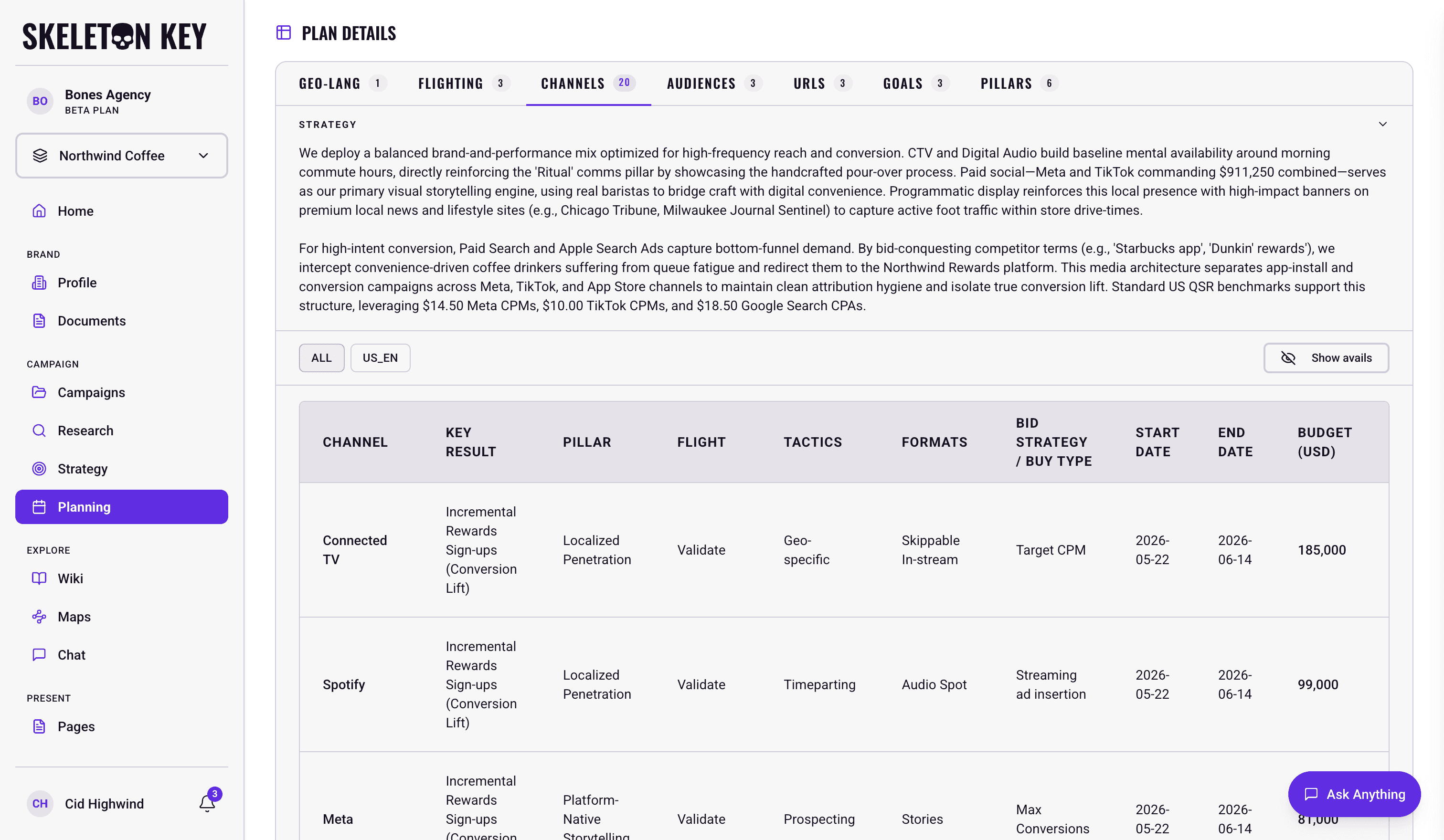
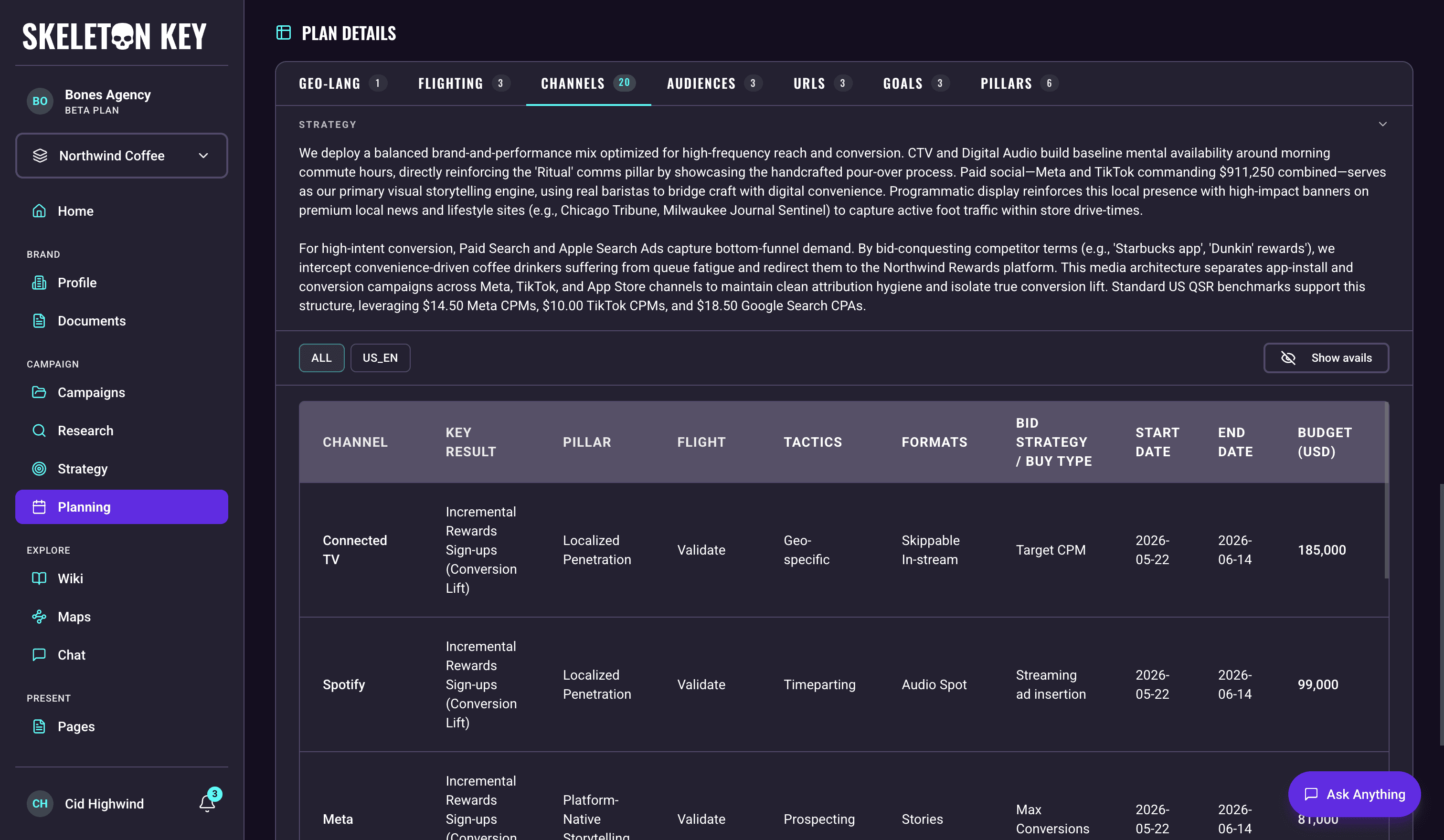
Plan Details sits at the bottom of the Media Plan page, below MEDIA PLAN OVERVIEW and CHARTS. It is the densest of the three sections and the place where the actual plan data lives, organized into seven tabs. All seven tabs are read-only: the first five (Geo-Lang, Flighting, Channels, Audiences, URLs) are the allocation rows generated by the Media Plan workflow. Goals and the Communications Pillars carry over from the upstream Strategy run, and the Media Pillars are written by the planning agents from the Media Strategy. To change any of them, run Refine and describe the change.
Shared affordances
A handful of behaviors apply across most of the tabs.
- Strategy commentary: each tab opens with a summary explaining the strategy behind that tab's allocations.
- Geo-chip filter: four tabs (Flighting, Channels, Audiences, URLs) get a row of country-language chips at the top to scope the visible rows to one market. Geo-Lang doesn't get the strip because it is the source of geos and short enough to read in full. Goals and Pillars are campaign-level and not geo-scoped.
- Row order: rows appear in the order the plan stores them. Goals and Pillars carry a priority number in the first column. The other five tabs have no priority column and are read top to bottom as stored.
- Auto-grouping with subtotals: Flighting, Channels, and Audiences group rows by country-language and render a per-geo subtotal plus a campaign total. Goals and Pillars are flat campaign-level lists with no grouping.
The seven tabs
Geo-Lang
The plan's spend distribution across markets and languages. Its rows follow the per-market budget split in the Media Strategy: each market inside the brief's target geography becomes one row carrying that market's share of the budget. A market that names several places in one country stays one row, with the places in Specific Geo Targets. A market that spans several countries becomes one row per country, and a country the brief or the strategy reaches in two or more languages becomes one row per language (Canada in English and French becomes CA_en and CA_fr). Those rows' budgets add up to the market's share. The tab's strategy commentary says how a split market's budget was divided, and names any market in the strategy that falls outside the brief's target geography, which gets no row. When a market is dropped, the remaining rows are scaled up to 100% and the commentary states the new weights.
Columns are Country (Google Ads taxonomy), Language (Google Ads taxonomy), Specific Geo Targets, and Budget. Specific Geo Targets lists the sub-regions inside the country as a comma-separated list, or a count such as 7 targets selected once a row carries more than five. Each row also has a country-language key in the format SG_en, with the market name added when two rows share a country and language (JP_ja_Tokyo and JP_ja_Osaka). It is not its own column here, but it is the key every other tab uses to attach rows to a market, and it is what the geo chips and per-geo group headers are labelled with.
Flighting
Time-phased allocation. Each row is one flight. Two flights in the same market can share calendar dates when they play different roles, for example an always-on flight with a seasonal burst layered over it, so long as each has its own name and budget. Columns are Flight name, Start Date, End Date, Channels carried in that flight, Notes, and Budget. Notes carries the reason the flight exists, plus any date window or budget cap an attached document imposed on it, named against that document. Both dates are meant to fall inside the campaign date range from the brief, and they render as stored, in YYYY-MM-DD form. Channels is a comma-separated list. Rows are grouped per geo with subtotals.
Channels
The biggest tab. One row per channel and key result, per market, per flight, so a channel running in two overlapping flights gets a row for each. Columns include Channel, Key Result, Pillar, Flight, Tactics, Formats, Bid Strategy / Buy Type, Start Date, End Date, and Budget. The header has an Avails toggle (eye icon, labelled "Show avails" / "Hide avails"): turn it on and twelve performance estimate columns appear in the row: Impressions, Views, Clicks, Conversions, Revenue, CTR, CVR, VTR, CPC, CPM, CPV, and ROAS. These are planning math, not values pulled from a live data source, and they exist to make budget-to-output checks possible inside the table. Clicking the Channel, Key Result, Pillar, or Flight header sorts the rows inside each geo group. A second click reverses the direction and a third returns the rows to their stored order. This is the only tab with header sorting.
Channel values span digital channels (search, social, display, video, audio) and traditional channels (Linear TV, radio, print, out-of-home). Tactics and Formats show comma-separated lists drawn from the catalogue for that row's channel, and Bid Strategy / Buy Type shows either a platform bid strategy or a buy type, depending on which the channel uses. Pillar shows the Media Pillars attached to the row, comma-separated and truncated with a tooltip when the full text is long.
Audiences
The Audiences tab has two views toggled from a button in the tab header: Allocation (the default) and Targeting Specs.
Allocation is the persona-level budget breakdown per market. Columns are Persona Name, Description, Demographics, Psychographics, Behaviours, Channels, Flights, Tactics, and Budget. Channels, Flights, and Tactics each show a comma-separated list. The values come from the Channels and Flighting tabs and are limited to what is running in that row's market. Rows are grouped per geo with subtotals.
Targeting Specs is a table with one row per unique persona across the whole plan. Every plan gets a Persona Name and Description column. A Meta Segments, Google Segments, or LinkedIn Segments column then appears for each of those platforms with channels in the plan's media mix. The Meta and Google columns suggest prospecting segments from each platform's targeting catalogue, and the LinkedIn column defines each persona in professional terms (seniority, job function, company size, industry) for B2B plans. A caveat banner above the table notes that the segments are suggestions based on prospecting audiences on each platform and do not cover first-party data or remarketing audiences. If the plan has no Meta, Google, or LinkedIn channels, the view shows an empty-state message instead of a table.
URLs
Landing URLs for the plan. Columns are Geo-Lang (a comma-separated list of the markets this URL serves), URL Type (Web or App), URL, and UTM. For Web URLs the UTM cell shows a count such as 12 UTMs, which expands to the individual tracking links when you click it. There is one per channel-tactic-format combination on the Channels tab rows for that URL's markets, in the format utm_source={channel}&utm_medium={tactic}_{format}&utm_campaign={geo}_{campaignName} (for example US_en_summerLaunch, with the campaign name in camelCase). A URL that serves two markets lists each combination once per market, each link tagged with its own market. A link that two rows would build the same way is listed once. Any utm_ tags already on the URL, such as utm_content or utm_term, are removed and only the three above are added. Its other query parameters are kept. When a URL in the table already carries UTM tags, an amber ! next to the UTM header says so. Check those links before launch. The links are built with this fixed formula each time the plan is shown, not written by the agents, so they change when you refine the plan's channels, tactics, formats or campaign name, and the Excel and Markdown exports use the same links. A Web URL whose markets have no channel tactics shows No UTMs (no channel tactics in this geo), and App URLs show N/A. URLs is a flat list with no per-geo subtotals.
Goals
Campaign-level Key Results, with the names the Goals Strategist gave them. The tab opens with an Objective block above the rows, restating the campaign objective and summarising how each Key Result is measured. Each row leads with its priority number, then Key Result, Rationale, Source of Truth, Measurement Model, and Cadence, with the rows in priority order. The planning agents write everything after the name: the rationale, condensed from the Goals output, and the source of truth, measurement model, and cadence for the plan. The measurement model follows the method the strategy chose for that Key Result. When the plan's budget cannot meet that method's entry minimum, or the method does not fit the plan (a flight too short for a study, for example), the row falls back to attribution (or to surveys and panels for a brand Key Result), and the reason appears in the Objective block or the row's rationale.
Pillars
Two side-by-side lists in one tab: Communications Pillars on the left, Media Pillars on the right. The Communications Pillars carry over from Strategy as the Communication Strategist named them. The Media Pillars are written by the planning agents: up to three strategic directives drawn from the Media Strategy, and the ones the Channels tab's Pillar column refers to. The tab opens with a Strategic Summary block above both lists, and each list leads with a priority number and is shown in priority order.
Limits and considerations
- Key Results and Communications Pillars come from Strategy, and Strategy upstream is the source of truth. Refining the Media Plan changes only this plan. The Strategy outputs they came from are not modified. Refining Strategy and generating a new Media Plan replaces them. The Media Pillars are the plan's own, written from the Media Strategy. A refine can revise them when the change you ask for alters what a pillar describes, such as removing a channel it names.
- Avails columns are planning math, not live performance. Treat the twelve Avails columns (Impressions, Views, Clicks, Conversions, Revenue, CTR, CVR, VTR, CPC, CPM, CPV, ROAS) as benchmarks for sanity-checking budget, not as forecasts from a measurement source.
- Beta software. Outputs are not infallible. Validate budget rollups, totals, and date ranges with your team before sharing externally.
Last updated: 2026-11-02